Looker Studio Dashboard in 2026: A Field Guide From Live Accounts
Most dashboards die within a month. Nobody decided what they were for, they take a minute to load, and the numbers do not match the ad platforms. This is how we build Looker Studio dashboards that clients still open every Monday a year later.
Key takeaways
- Start a Looker Studio dashboard with the decisions it must support, not the charts you can make. Five good questions beat fifty charts.
- Build in three layers: an executive page, channel pages and diagnostic pages. Each audience gets the depth it needs and no more.
- Native connectors are free and fine for GA4, Google Ads and Search Console. Paid connectors or BigQuery earn their cost once you report on several ad platforms or need speed.
- Slow dashboards go unread. Fewer charts per page, extracts or BigQuery for heavy data, and sensible date defaults fix most speed and quota problems.
- Agree data definitions in writing, show backend revenue next to platform claims, and give every page an owner who checks it.
01Why most Looker Studio dashboards stop being used
We inherit a lot of reports. When a new client shares their existing Looker Studio dashboard, the pattern is almost always the same: twelve pages, eighty charts, a GA4 sessions graph on every page, and a last viewed date from several months ago. Somebody spent a week building it, nobody asked what it was for, and the team quietly went back to logging into each ad platform.
Looker Studio itself is not the problem. It is free, it connects natively to GA4, Google Ads and Search Console, and it can produce clean, shareable reports that answer real questions in seconds. The problem is that it makes charts so easy to add that people add them instead of thinking. A useful dashboard is an editing job far more than a building job.
Over the years we have noticed that dashboards fail for a small number of reasons, and they are nearly all about decisions rather than design:
- No clear audience. The founder, the paid media manager and the developer all need different things, and one page tries to serve all three.
- No questions written down. Charts get added because the data exists, not because anyone asked for it.
- Numbers nobody trusts. Revenue in the dashboard does not match Shopify, and there is no note explaining why.
- Too slow. If a page takes long enough to load that someone reaches for their phone, the dashboard has already lost.
- No owner. A broken connector goes unnoticed for weeks because checking the report is nobody’s job.
02Decide the questions before you open Looker Studio
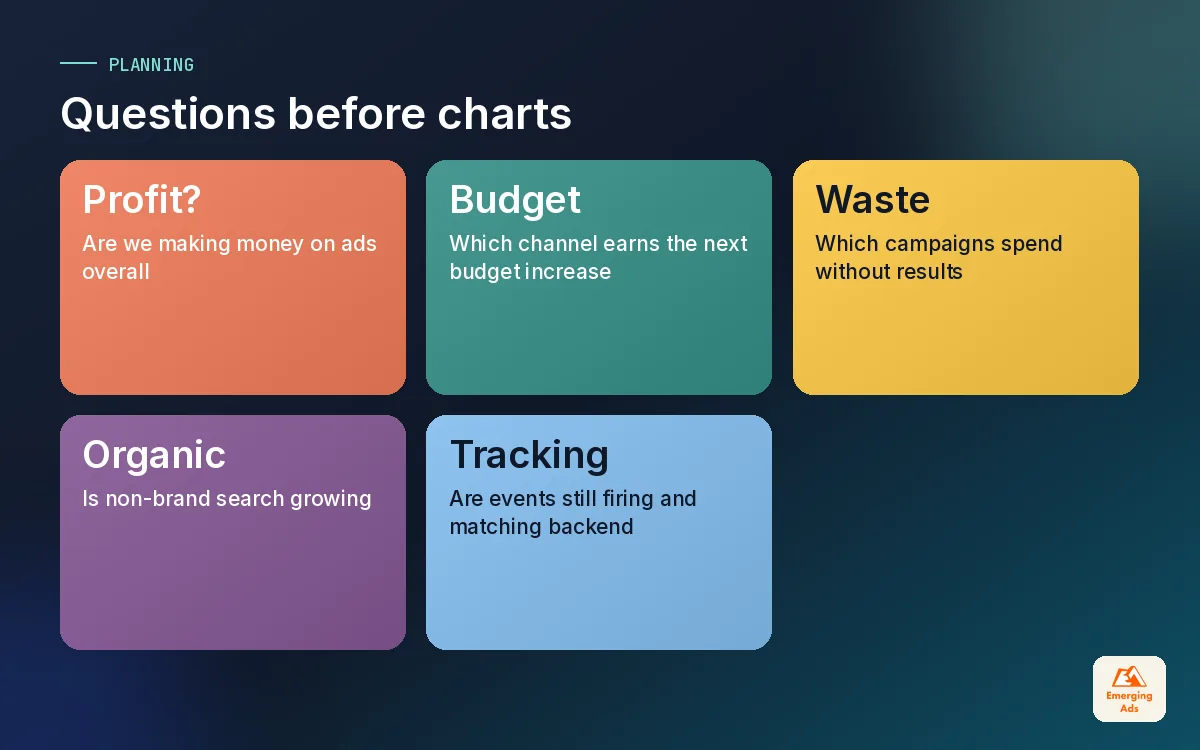
Every Looker Studio dashboard we build starts in a plain document, not in the tool. We sit down with the client and write out the questions the report must answer, who asks each one, and how often. It usually takes an hour and saves days of rework.
A typical list for an ecommerce brand looks something like this. For a lead generation business the words change (qualified leads, pipeline value, cost per sales opportunity) but the shape is identical.
| Question | Who asks it | How often | Metric that answers it |
|---|---|---|---|
| Are we making money on ads overall? | Founder | Weekly | Blended cost per order and marketing efficiency ratio from backend revenue |
| Which channel should get the next pound? | Marketing lead | Weekly | Cost per acquisition and revenue by channel, on one set of rules |
| Which campaigns are wasting spend? | Paid media manager | Daily to weekly | Spend, conversions and cost per conversion by campaign |
| Is organic search growing? | Marketing lead | Monthly | Search Console clicks and non-brand impressions |
| Is tracking still working? | Analyst | Weekly | Event counts, unassigned traffic share, purchase count vs backend |
Notice the last row. We always include a tracking health question, because a dashboard built on broken tracking is worse than no dashboard. It gives people false confidence. If you are not sure your events are firing properly, fix that first; our GA4 setup guide and our GA4 tracking service both start there.
03The three layers of a useful Looker Studio marketing dashboard
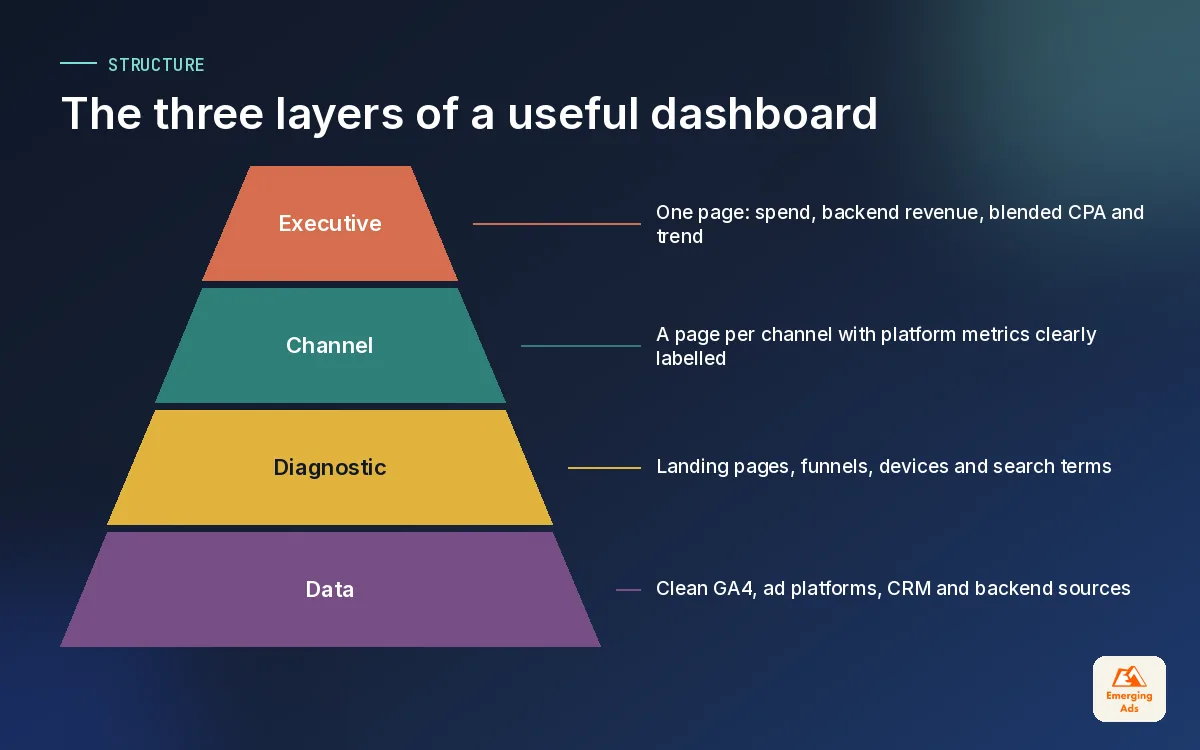
Once the questions are written, we sort them into layers. This is the single biggest change we make to inherited reports, and it is the reason our clients’ dashboards stay in use. Each layer has one audience and a different level of detail.
Layer 1: the executive page
One page, readable in under a minute. Total spend, total revenue or qualified leads from the backend, blended cost per acquisition, and the trend against the previous period and the same period last year. Maybe one chart of spend and revenue by week. No campaign names, no click-through rates. If a founder has to scroll, the page is too long.
Layer 2: channel pages
One page per major channel: Google Ads, Meta, organic search, email. These are for the people who run those channels. They show campaign performance, the platform’s own conversion numbers, and the channel’s share of backend results. This is where platform attribution belongs, clearly labelled as the platform’s view. If you want to understand why those numbers will never add up to your real revenue, our marketing attribution guide explains it.
Layer 3: diagnostic pages
These answer “why” when a number on the first two layers moves. Landing page performance, device splits, funnel drop off, search terms, tracking health checks. They can be dense, because the audience is the analyst or the specialist who goes looking for detail. Most people never open them, and that is fine.
A good dashboard lets the founder stop at page one and lets the analyst go as deep as the data allows.
04Looker Studio data sources and connectors
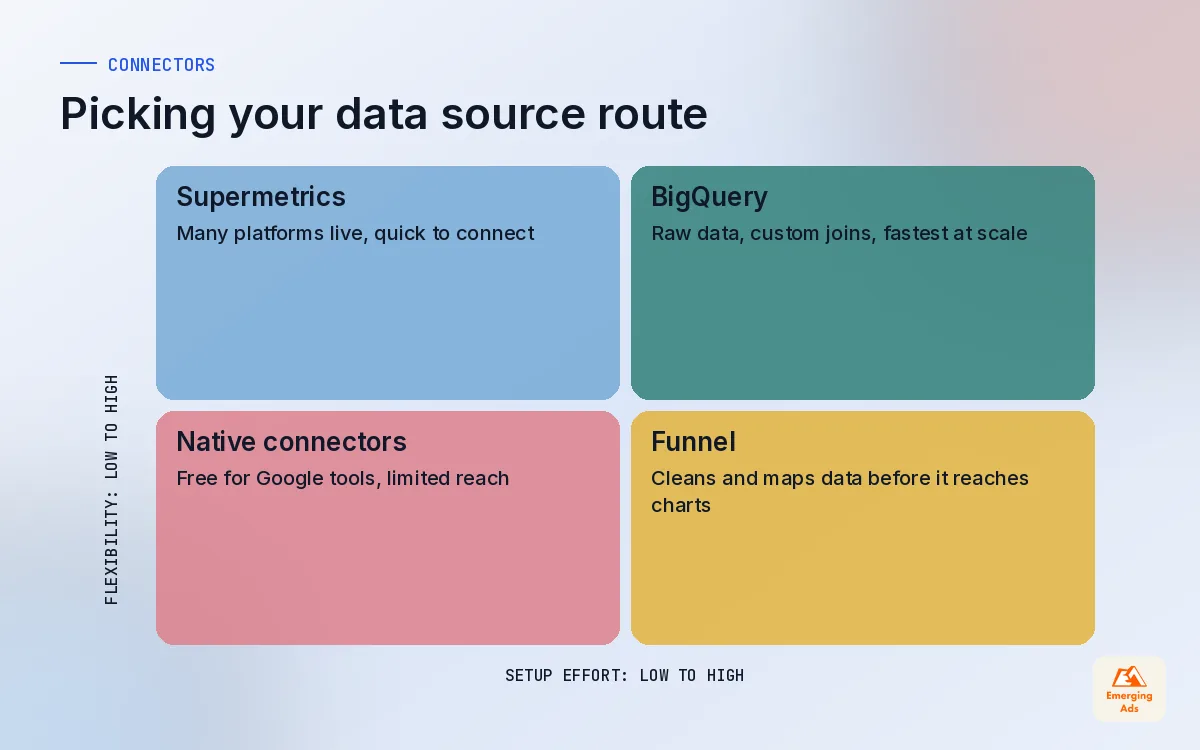
Your choice of Looker Studio data sources decides cost, speed and how much cleaning work you do later. There are broadly four routes, and most of our client dashboards end up using two or three of them together.
| Route | Good for | Watch out for |
|---|---|---|
| Native Google connectors | GA4, Google Ads, Search Console, Google Sheets | Speed and quota limits on busy GA4 reports; no native Meta, TikTok or LinkedIn |
| Supermetrics | Pulling Meta, LinkedIn, TikTok and many others into Looker Studio directly | Licence cost scales with sources and accounts; live queries can be slow |
| Funnel | Brands with many ad platforms that want data cleaned and mapped before reporting | More setup effort up front; best when you commit to it as your data hub |
| BigQuery | GA4 raw export, large volumes, custom joins with CRM or backend data | Needs SQL skills and some cloud cost management |
When native connectors are enough
If you only advertise on Google and want GA4, Google Ads and Search Console in one place, the native connectors are free and perfectly adequate. Plenty of small businesses never need more. Add a Google Sheet for monthly backend revenue and you have an honest executive page for nothing.
When to pay for a connector
The moment Meta, TikTok or LinkedIn enter the picture, you need a way to bring their data in. We set up Supermetrics reporting automation for clients who want those platforms live in Looker Studio with minimal fuss, and Funnel.io marketing reporting for brands with several ad accounts and currencies who need everything normalised before it reaches a chart. Both are good tools. The right one depends on how many sources you have and how much data cleaning you want done upstream.
When BigQuery is the right answer
GA4 BigQuery export is available on standard properties, and it changes what is possible. Querying raw event data in BigQuery and pointing Looker Studio at a summarised table is usually far faster than the GA4 connector, sidesteps many of the quota errors, and lets you join marketing data with CRM or order data that never touches GA4. It is the route we take for most clients spending across three or more channels.
05Blending data and calculated fields without breaking things
Blending lets you combine two or more sources in one chart, such as Google Ads spend with GA4 revenue, joined on date and campaign. It is powerful and it is also the most common source of wrong numbers we find in inherited dashboards.
Blending rules we follow
- Join on clean keys. Date is safe. Campaign name only works if names match exactly across sources, which means disciplined UTMs and campaign naming.
- Pick the join type on purpose. A left join keeps every row from the first source; an inner join drops anything that does not match on both sides. The wrong choice silently removes data.
- Check totals after every blend. Compare the blended total spend with the source platform. If it has changed, a join is duplicating or dropping rows.
- Move heavy blending upstream. If a blend gets complicated, do it in BigQuery, Funnel or a sheet instead. Looker Studio is a presentation layer first.
Calculated fields worth having
A handful of calculated fields do most of the work in our client reports. Cost per acquisition (spend divided by conversions), return on ad spend, blended marketing efficiency (backend revenue divided by total spend), and a channel grouping built with a CASE statement so that messy source and medium values roll up into readable channels. We also add a simple “brand vs non-brand” field for search campaigns using REGEXP_MATCH on campaign names, because the two behave so differently.
06Making your Looker Studio dashboard fast
Speed is not a nice extra. We have watched clients abandon well designed reports simply because every page took too long to render. The fixes are rarely clever, and most of them are about asking Looker Studio to do less at once.
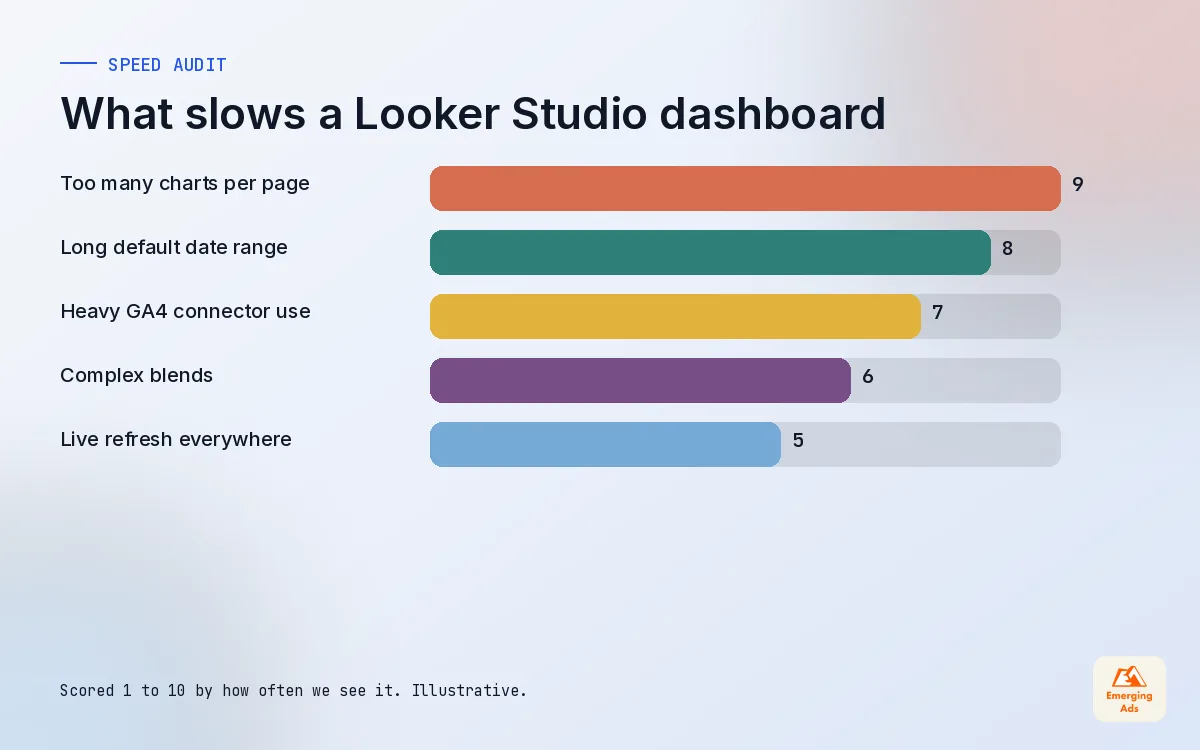
- Fewer charts per page. Every chart is at least one query. A page with thirty scorecards sends thirty requests.
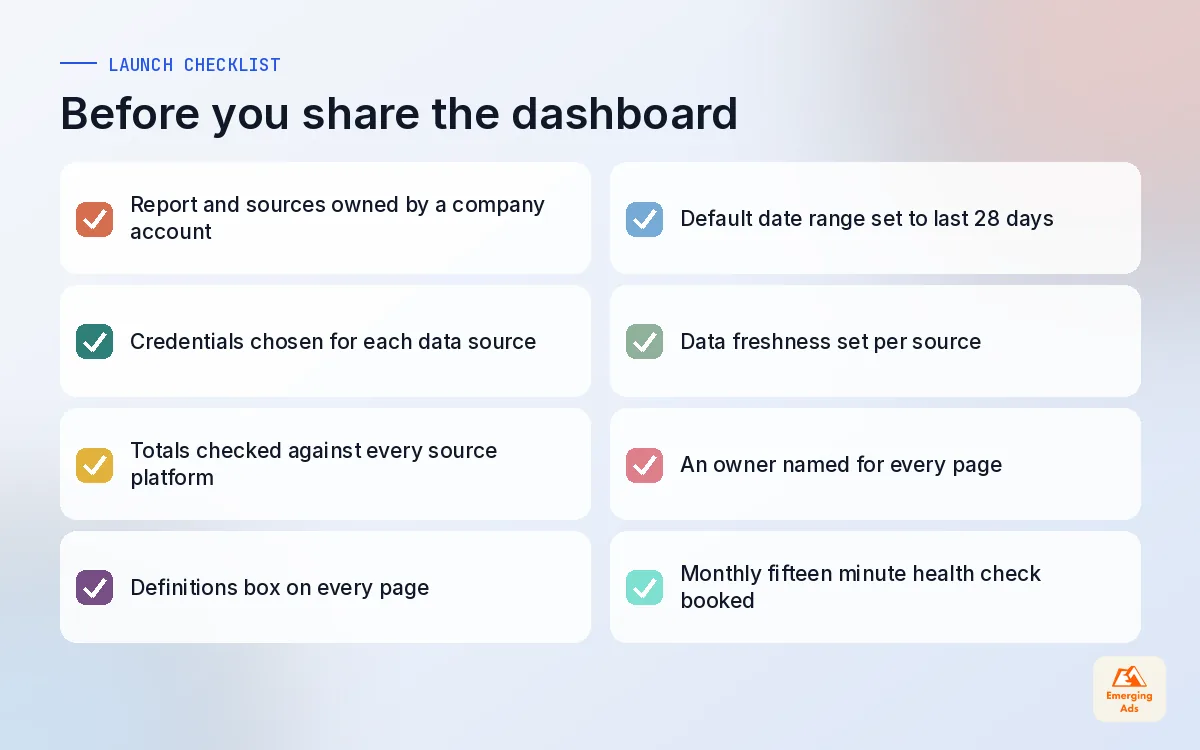
- Default to a sensible date range. Last 28 days loads far faster than last 12 months. Put long trends on their own page.
- Use extracts for heavy sources. An extracted data source stores a snapshot and refreshes on a schedule, which suits reports that do not need to be up to the minute.
- Summarise in BigQuery. Point charts at pre-aggregated daily tables rather than raw events.
- Watch the GA4 connector. It draws on GA4 API quotas, and busy reports with many charts and viewers can hit quota errors. Splitting pages, caching and moving to BigQuery all help.
- Set data freshness deliberately. Most marketing reports are fine refreshing every few hours, not every few minutes.
The chart below reflects what we typically find slowing down inherited dashboards. It is illustrative, based on the patterns we see rather than a formal study, but it is a useful order of attack.
07Design rules for dashboards people can read
Good dashboard design is mostly restraint. You are not making a poster. You are helping someone reach the right conclusion in as few seconds as possible.
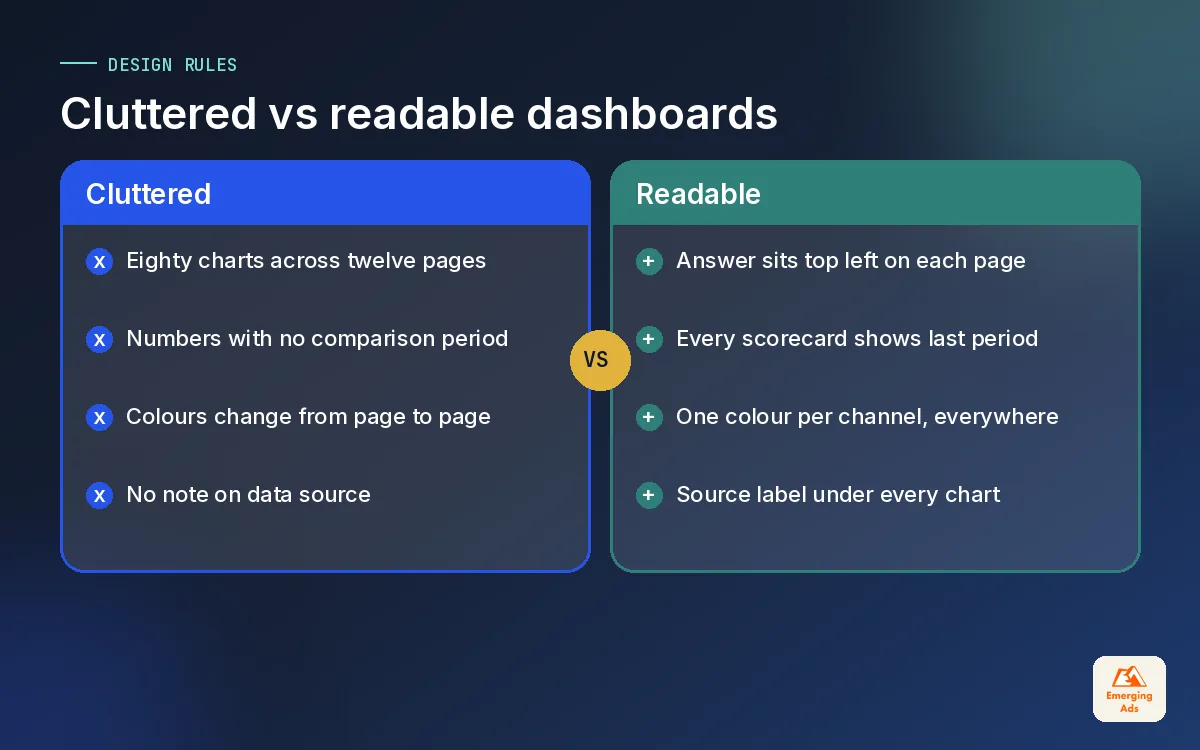
- Scorecards on top, detail below. People read top left first, so put the answer to the page’s main question there.
- Always show comparison. A number without the previous period or last year is almost meaningless. Turn on comparison dates for every scorecard.
- One colour per meaning. If orange means Meta on one page, it means Meta everywhere. Use a neutral grey for everything that is not the focus.
- Label the source. A small note under each chart saying “Google Ads, platform attribution” or “Shopify orders” removes a lot of confusion.
- Tables for detail, lines for trends, bars for comparison. Pie charts with eight slices help nobody.
- Filters where people expect them. A date control and one or two filters at the top of each page. Hide the rest.
Brand the dashboard lightly with your logo and colours, but do not let branding compete with the data. A report that looks polished and loads slowly will lose to a plain one that answers the question in five seconds.
08Sharing, access and a Looker Studio dashboard template layout
Access settings are where a lot of quiet risk sits. Two things matter most. First, who owns the report and the data sources: if they belong to a freelancer’s personal account and that person leaves, the report goes with them. We always build client reports on an account the client controls. Second, the credentials each data source uses. Owner’s credentials let viewers see data they could not otherwise access, which is convenient but means you must be careful who gets the link. Viewer’s credentials are stricter and suit reports shared widely inside a company.
The template layout we start from
Every business is different, but this is the looker studio dashboard template structure we adapt for most new clients. It usually lands at six to eight pages in total.
| Page | Audience | What is on it |
|---|---|---|
| 1. Overview | Founder and leadership | Spend, backend revenue or qualified leads, blended CPA, weekly trend, year on year |
| 2. Paid search | Paid media team | Google Ads campaigns, brand vs non-brand split, search terms, cost per conversion |
| 3. Paid social | Paid media team | Meta and other social platforms, creative performance, platform conversions labelled as such |
| 4. Organic and content | Marketing lead, SEO | Search Console clicks, landing pages, non-brand growth |
| 5. Website and funnel | CRO and analyst | Landing page conversion, device split, checkout or form drop off |
| 6. Tracking health | Analyst | Event counts, unassigned traffic, purchase count vs backend, consent rates |
For ecommerce clients the overview page pulls order data from Shopify, which we manage alongside Shopify website management work, and the paid social page is built around Meta ads for ecommerce metrics like cost per purchase and return on ad spend. For lead generation clients the overview draws on CRM data instead, often from HubSpot, so the headline figure is qualified leads and pipeline value rather than form fills. The paid search page is shaped by how we run Google Search ads, with brand and non-brand shown separately.
09Keeping the dashboard alive after launch
A dashboard is a small product, and products need maintenance. Connectors lose authorisation, someone renames a campaign and breaks a blend, a new ad platform appears and never gets added. We give every page an owner and put a fifteen minute check in the calendar each month: do the totals still match the sources, are any charts erroring, and is every page still answering a question somebody asks?
Once a quarter, look at which pages people actually view and cut the ones they do not. Removing pages is the most underrated improvement you can make to any report.
If you would rather hand the build and upkeep to a team that does this every week, our Looker Studio dashboard service covers the questions workshop, connectors, design and ongoing checks. You can see how reporting fits with media buying and tracking in the full list of EmergingAds services, or read more about our approach to measurement on the whyemergingads.com homepage.
Frequently asked questions
Straight answers to what clients ask us most about looker studio dashboard.
What is a Looker Studio dashboard?
Is Looker Studio free?
How do I connect Meta ads to Looker Studio?
Why is my Looker Studio dashboard so slow?
What should a marketing dashboard include?
Can Looker Studio show GA4 and Google Ads data together?
What is data blending in Looker Studio?
Should I use owner's or viewer's credentials?
Is there a good Looker Studio dashboard template?
How often should a Looker Studio dashboard refresh?
Who should own the Looker Studio reports and data sources?
Want a dashboard your team actually opens every week?
We will look at the reports you use today, the questions you really need answered, and sketch a Looker Studio layout that fits. You keep the plan either way.
Book your free audit