Offline Conversion Tracking in 2026: From Lead to Revenue
A form fill is not a customer. Offline conversion tracking tells Google Ads and Meta which leads became sales, so they stop chasing cheap enquiries and start finding buyers. Here is how we build it on live accounts.
Key takeaways
- Offline conversion tracking sends what happens after the form, such as qualified, booked and won, back to the ad platforms so bidding learns from real outcomes.
- It only works if every lead record stores the click ID and UTMs at the moment of capture. Fix capture before you touch any import.
- Use Google Ads offline conversion import or enhanced conversions for leads, and Meta Conversions API for CRM events, with consistent names and values.
- Send two or three stages with sensible values rather than every status in your pipeline. Too many signals confuse bidding and your team.
- Most breakages come from forms dropping hidden fields, CRMs overwriting source data, and automations that silently stop. Check the pipe weekly.
01What offline conversion tracking is, and why lead-gen accounts need it
Offline conversion tracking is the practice of recording what happens to a lead after it leaves your website, then sending that outcome back to the ad platform that produced the click. The call with sales, the booked consultation, the signed contract, the first invoice paid. None of those happen on a page your tags can see, which is why most lead-generation accounts are optimising for the wrong thing.
Here is the pattern we see on almost every new lead-gen client. Google Ads reports a healthy cost per lead. Meta reports an even better one. The sales team says half the leads are students, competitors, wrong numbers or people who thought the service was free. Both statements are true. The ad platforms are doing exactly what they were asked to do: find people who fill in forms. Nobody told them which form fills turned into revenue.
Why it matters more than ever
Smart bidding and broad targeting now do most of the heavy lifting in paid media. That is useful when the signal is good and wasteful when it is not. Feeding qualified-lead and sale events back into the platforms changes what the algorithm hunts for. On accounts we manage, it is usually the single biggest improvement to lead quality we can make without touching creative or budgets.
Offline tracking sits on top of good on-site tracking, not instead of it. If you have not checked your web tags recently, our tracking audit guide is the right place to start, because a broken form event upstream will break everything described below.
02Step one: capture click IDs and UTMs in every form
Offline conversion tracking lives or dies at the moment of capture. If the lead record in your CRM does not store how that person arrived, nothing later can reconnect them to the ad. We treat capture as a separate project and test it before building any import.
What to store on every lead
| Field | Where it comes from | Why you need it |
|---|---|---|
| GCLID (and GBRAID or WBRAID where present) | Google Ads auto-tagging in the landing page URL | Matches the lead back to a Google Ads click for offline import |
| fbclid or the _fbc cookie value | Meta ad click URL parameter | Improves match rates when sending CRM events to Meta |
| utm_source, utm_medium, utm_campaign | Your campaign URL parameters | Channel reporting in the CRM, independent of any ad platform |
| Landing page and first-touch date | Captured by script on first visit | Helps sales context and attribution analysis later |
| Email and phone (with consent) | The form itself | Hashed for enhanced conversions and Conversions API matching |
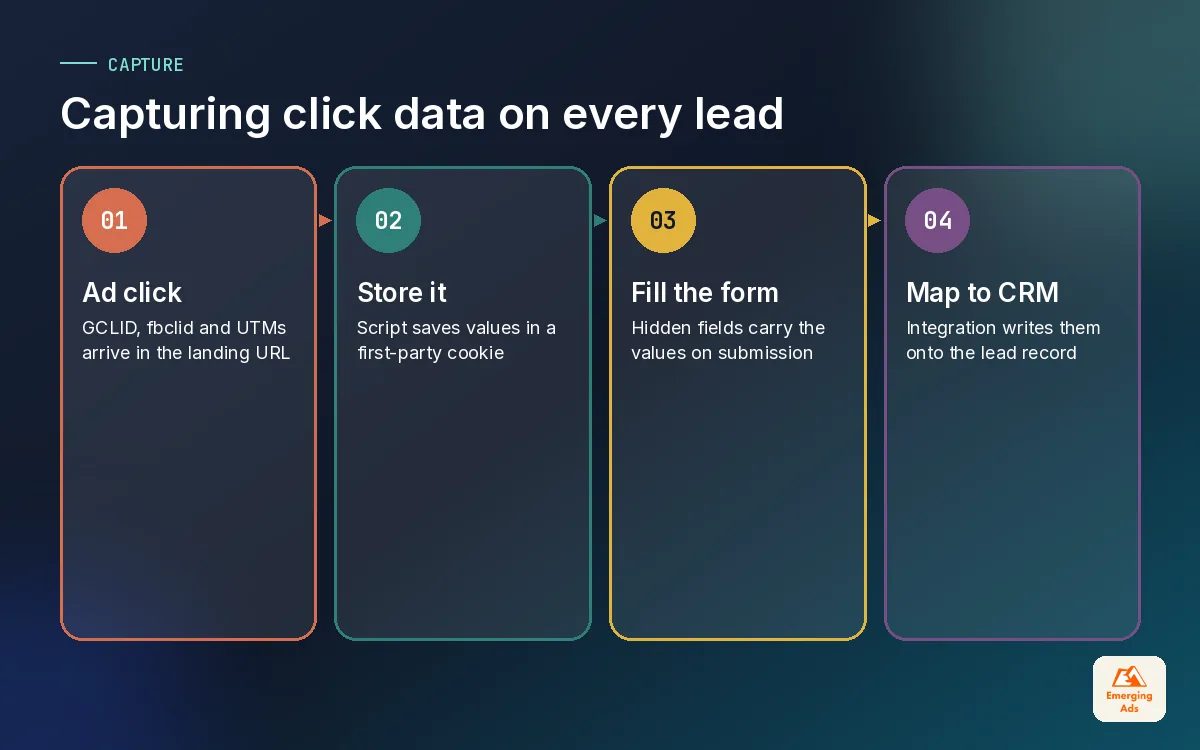
The usual method is a small script, often deployed through GTM, that reads the URL parameters on landing, stores them in a first-party cookie or local storage, and writes them into hidden fields on any form the visitor submits later. That last part matters: people often browse three pages before converting, and the parameters vanish from the URL after the first click.
Where capture breaks
- Forms embedded as iframes from third-party tools, where your script cannot fill hidden fields. Tools like Typeform can accept hidden fields, but they have to be passed in deliberately, which our Typeform lead capture builds include.
- Native lead forms on Meta and Google, where no website visit happens at all. These need the platform’s own lead ID stored instead.
- CRM integrations that map only name, email and message, dropping the hidden fields on the floor.
- Safari and other browsers limiting how long script-set cookies last, which shortens how long you can remember a click on a returning visitor.
03Sending CRM stages back to Google Ads and Meta
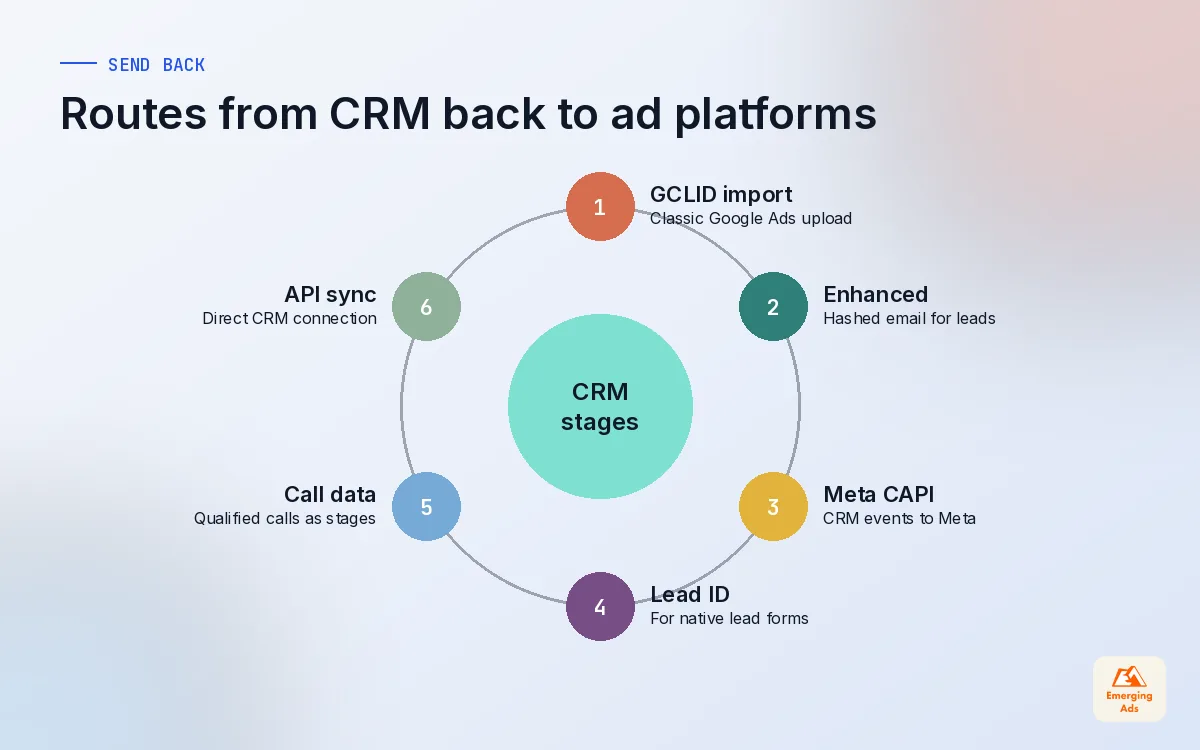
Once the click data is sitting on the lead record, you can send outcomes back. There are three main routes, and many accounts use more than one.
Google Ads offline conversion import
The classic route. You create an import conversion action in Google Ads, then upload rows containing the GCLID, the conversion name, the conversion time and optionally a value. Uploads can be manual CSV files, scheduled files from a URL or sheet, or direct API connections from your CRM. The time must include a time zone and must be after the click. Most rejected rows we see come from a wrong time zone or a GCLID that was copied into the CRM with extra spaces.
Enhanced conversions for leads
Instead of relying on the GCLID, this route matches on hashed first-party data such as the email address captured on the form. Google hashes it with SHA-256 on the page, and later you upload the same hashed email with the offline stage. It is more forgiving when GCLIDs go missing, and we usually recommend it alongside click ID capture rather than instead of it. It is also why Google Ads lead generation accounts we run always ask for consent-compliant email capture on forms.
Meta Conversions API for CRM events
On Meta, CRM outcomes are sent as server events through the Conversions API with customer information such as hashed email and phone, plus the click ID where you have it. For native Meta lead generation ads, the lead ID from the form lets Meta connect the CRM stage to the original ad. The broader setup, including deduplication with the Pixel, is covered in our Meta Conversions API guide.
| Route | Matches on | Best for | Watch out for |
|---|---|---|---|
| Google Ads offline import | GCLID plus conversion time | CRMs that store click IDs reliably | Time zone format and missing GCLIDs |
| Enhanced conversions for leads | Hashed email or phone | Forms that capture email every time | Consent, and hashing the same normalised value |
| Meta Conversions API (CRM) | Hashed contact data, click ID, lead ID | Meta lead ads and website forms | Sending stages consistently, not in bursts |
04Choosing stages, values and matching windows
The temptation is to send every pipeline status to every platform. Resist it. Bidding works best on a few clear signals that happen often enough to learn from.
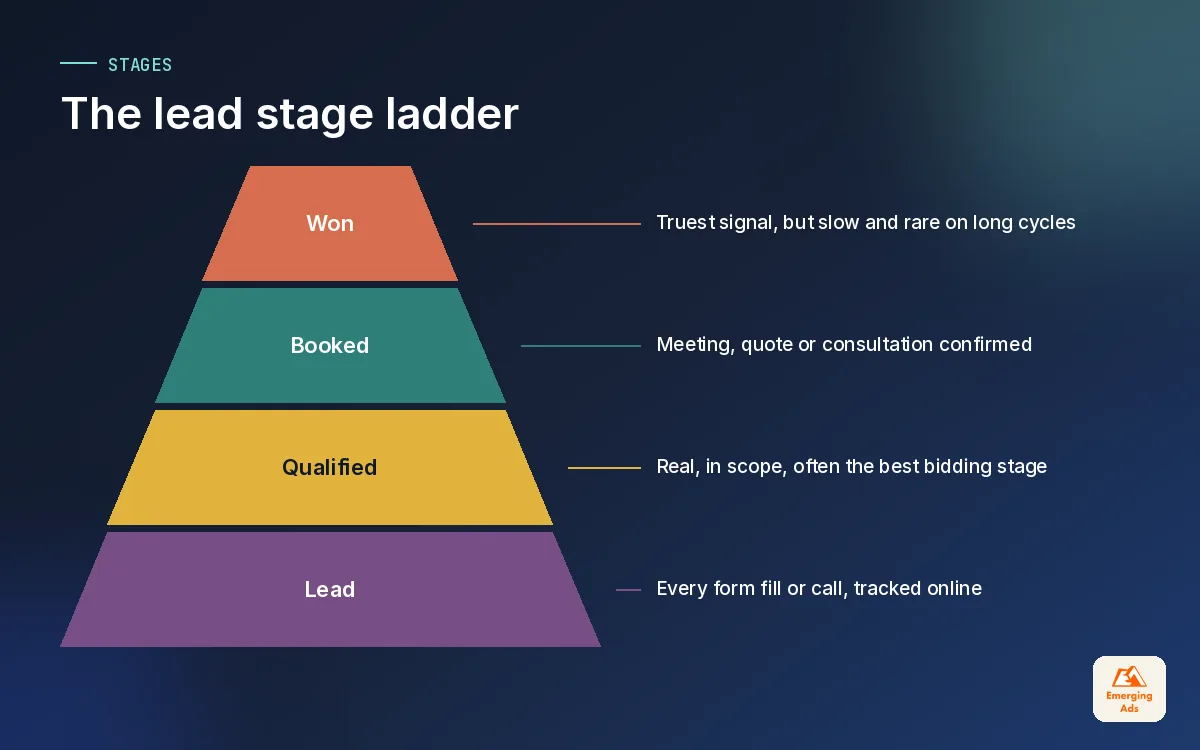
A simple stage ladder
- Lead: the form or call itself, tracked online as it happens.
- Qualified lead: sales or a rule confirms the lead is real and in scope.
- Opportunity or booked: a meeting, consultation, quote or trial started.
- Won: the deal closed, ideally with the real value.
For most accounts we optimise bidding towards the qualified lead or booked stage and send won deals as a secondary signal with value. Won deals are the truest signal, but on many lead-gen accounts they are too few and too slow for bidding to learn from alone. A clinic might close within a week. A B2B firm might take four months. The right bidding stage depends on how many of each you get per month and how long they take to arrive.
Values that mean something
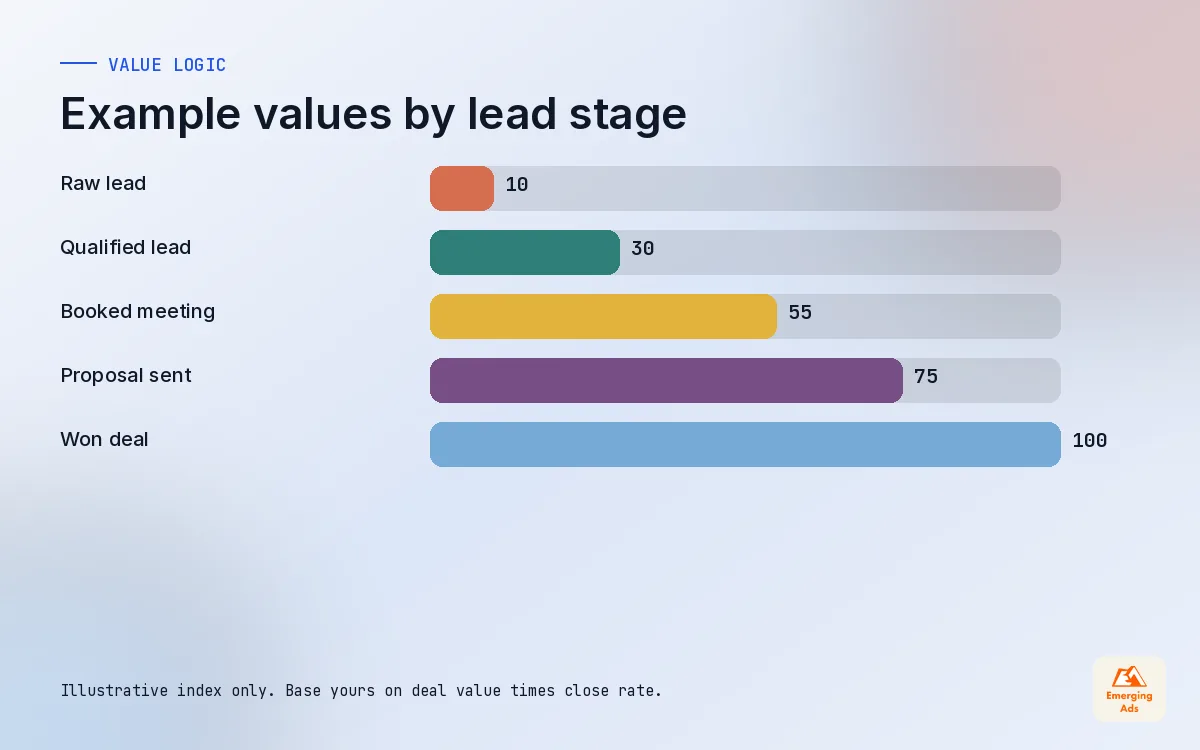
If you use value-based bidding, give each stage a value that reflects its worth. A qualified lead could be worth your average deal value multiplied by your typical close rate from that stage. Keep it rough but honest, and revisit it every quarter. The numbers in the chart below are illustrative of the logic, not a recommendation for your business.
Mind the windows
Each platform only accepts offline events within its conversion window for the original click or interaction, and you set those windows in the account. If your sales cycle is longer than the window, the won stage will simply never attach. That is another reason to send an earlier, faster stage for bidding and use the CRM itself to report on final revenue. How the numbers are then credited across channels is a separate question, which we cover in our marketing attribution guide.
05Call tracking and other conversions that start offline
For clinics, trades, real estate and many service firms, the phone still produces the best leads. If calls are not tracked, the ad platforms see only the smaller, often weaker, share of leads that came through forms.
- Call extensions and call assets in Google Ads can report calls over a minimum duration you choose.
- Website call tracking uses dynamic number insertion so each visitor sees a number tied to their session and source.
- Call outcomes such as booked or not booked should be written back to the CRM by the call handler or by the call tracking tool, then sent on like any other stage.
- WhatsApp and chat enquiries need the same treatment: capture the source at the start of the conversation, then record the outcome.
Walk-in visits and in-store purchases are harder. Where customers give an email or phone at the counter, those can be matched back with hashed data. Where they do not, be honest that the link is missing and use tests rather than pretending the tracking is complete.
If the phone rings more than the form fills, and you only track forms, your ads are learning from the minority.
06Automating the pipe with Zapier, Make and native integrations
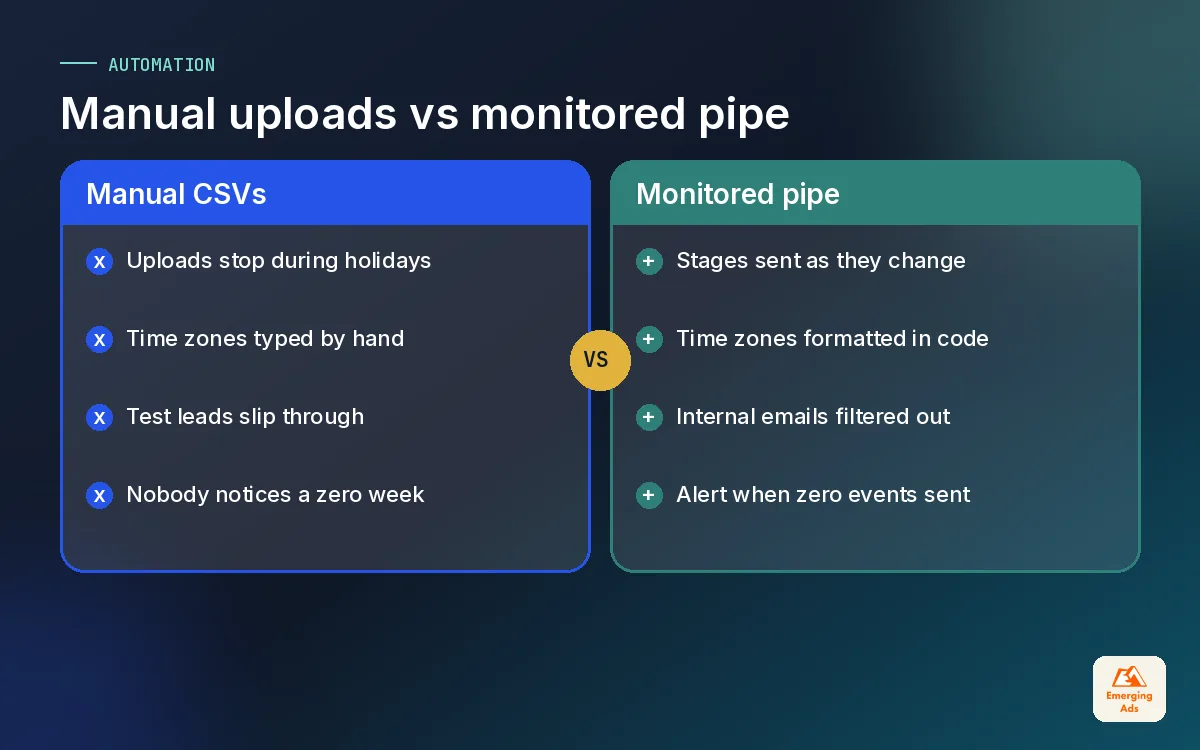
Manual CSV uploads work for a fortnight and then someone goes on holiday. The whole point is a steady, automatic stream of stages into the platforms.
| Option | Good for | Trade-off |
|---|---|---|
| Native CRM integrations | HubSpot and Salesforce with built-in Google Ads and Meta connections | Less control over naming, values and timing |
| Zapier | Simple triggers when a deal stage changes | Easy to set up, easy to break without noticing |
| Make | Multi-step logic, filters and value calculations | More power, needs someone who can maintain it |
| Server-side or custom API | High volume or complex pipelines | Developer time and ongoing ownership |
For smaller teams we often start with a native integration in HubSpot or a Salesforce integration, then fill the gaps with Zapier automation or a Make scenario that formats time zones, calculates values and filters out test leads. Whatever you choose, add an alert when the automation fails or when zero events are sent in a day. Silent failures are the norm, not the exception.
07Reporting pipeline value, not just cost per lead
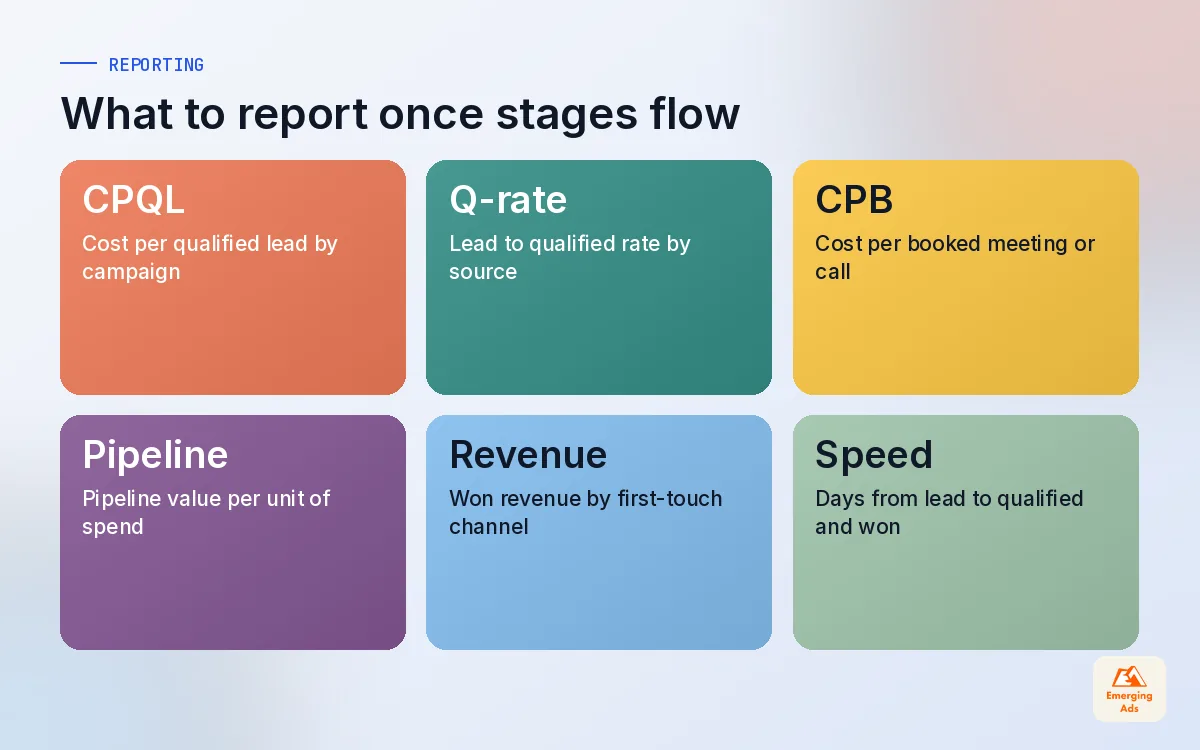
Once stages flow back, the conversation with leadership changes. Instead of cost per lead, you can talk about cost per qualified lead, cost per booked call and pipeline value per pound spent, by channel and by campaign. That is the view that actually decides budgets.
We usually build it in the CRM first, because that is where revenue lives, and mirror the key numbers in a reporting dashboard. Keep the definitions written down: what counts as qualified, who sets the stage and when. A report is only as good as the discipline of the people updating the pipeline.
- Cost per qualified lead by campaign, compared with cost per raw lead.
- Lead to qualified rate by source, which exposes spam and weak audiences quickly.
- Pipeline value and won revenue by first-touch channel, read with caution.
- Time from lead to qualified and to won, which tells you which stage is fast enough to bid on.
08Common breakages, and when to get help
We audit a lot of offline setups that were working once. These are the faults that come up again and again:
- Hidden fields removed during a website redesign, so new leads arrive without any click ID.
- CRM overwrites source on every new form submission, replacing the paid click with a later organic visit.
- Test leads uploaded as real conversions because nobody filtered internal emails.
- Stage renamed in the CRM while the automation still looks for the old name, so nothing is sent.
- Wrong conversion set as primary in Google Ads, so bidding still optimises for raw form fills.
- Duplicate sending through both a native integration and a Zap, inflating results.
None of this needs a large team, but it does need someone who owns it end to end. Our CRM automation setup service connects forms, CRM and ad platforms into one pipe, and our advanced website tracking work makes sure the click data is there to begin with. You can see how it links to paid media and reporting on the full list of EmergingAds services, or explore more tracking guides on the whyemergingads.com homepage.
Frequently asked questions
Straight answers to what clients ask us most about offline conversion tracking.
What is offline conversion tracking?
How does Google Ads offline conversion import work?
What is the difference between offline import and enhanced conversions for leads?
Can I send CRM conversions to Meta?
Which CRM stage should I optimise my ads for?
How do I capture GCLID in my forms?
How do I track phone call conversions from ads?
Do I need Zapier or Make for offline conversion tracking?
Why are my offline conversions being rejected?
Is offline conversion tracking GDPR compliant?
How long before offline conversions improve lead quality?
Are your ads optimising for leads that never buy?
We will trace a sample of your leads from click to CRM to closed deal and show you exactly where the signal breaks. Then we fix it, in the tools you already use.
Book your free audit